Landing Page A/B Testing in 2026: What to Test, in What Order
Landing pages are the highest-leverage place to run A/B tests. Here's the complete framework: what to test first, how to structure your hypotheses, what tools to use, and the mistakes that make tests inconclusive.
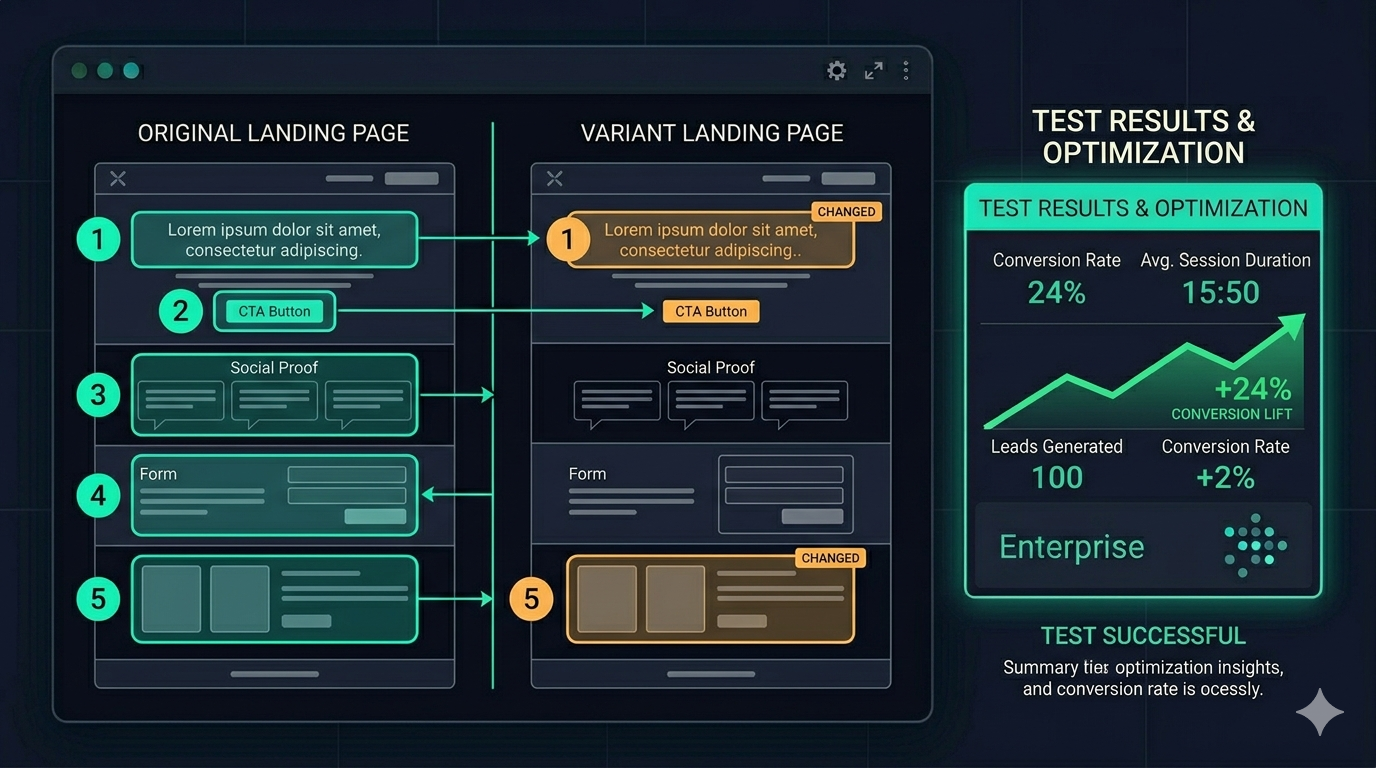
Landing pages are the clearest ROI case for A/B testing. Every visitor to a landing page has intent — they clicked an ad, a link, or a search result. The page’s only job is to convert that intent into an action. Testing whether it does that job better is the most direct path to improving return on ad spend.
Yet most landing page tests produce inconclusive results. Not because testing doesn’t work, but because the tests are set up wrong: too many variables changed at once, stopped too early, or run on the wrong elements in the wrong order.
This guide covers the complete landing page testing framework: what to test first, how to structure hypotheses, which tools work best, and the specific mistakes that invalidate results before a test even finishes.
Why Landing Pages Are the Best Starting Point
Landing pages have three properties that make them ideal for A/B testing:
High traffic concentration. Unlike interior pages of a website, landing pages receive concentrated traffic from specific acquisition channels. This means you reach statistical significance faster.
Single conversion goal. A landing page exists to generate one action — a sign-up, a form completion, a purchase, a phone call. Testing is simpler when the success metric is unambiguous.
High impact on paid acquisition ROI. If you’re paying for traffic (Google Ads, Meta, LinkedIn), improving conversion rate directly reduces effective cost per acquisition. A 25% conversion rate improvement on a page with $10,000/month in traffic is worth $2,500/month without changing ad spend.
The Testing Hierarchy: What to Test First
Not all landing page elements have equal impact. Testing in the wrong order wastes test slots and time on low-leverage changes.
Priority 1: The Headline
Your headline is the most important element on the page. It determines within 3–5 seconds whether a visitor believes the page is relevant to them. It’s also the element with the highest variance in performance — a bad headline can lose 50% of potential conversions regardless of how well the rest of the page is designed.
Test your headline first, before anything else. If you’re running paid traffic, the headline also needs to maintain message match with your ad creative — test headline variants within that constraint.
What to test:
- Benefit vs. feature framing: “Double your conversion rate” vs “Visual A/B testing for marketers”
- Specificity vs. breadth: “Cut your CPA by 20% in 30 days” vs “Grow faster with A/B testing”
- Audience clarity: Headlines that explicitly name the target audience (“For Shopify stores under $1M ARR”) often outperform generic ones for the right audience — but may reduce volume from adjacent audiences
Priority 2: Primary CTA (Button Copy and Placement)
Once you have a stable headline, the CTA is the next highest-leverage test.
CTA button copy tests are fast to run and often show meaningful variance:
- “Start free trial” vs “Get started free” vs “Try it for 14 days”
- Action verbs vs nouns: “Start optimizing” vs “Free account”
- Adding specificity: “Start my free trial” vs “Start free trial” — the possessive often increases clicks
CTA placement matters separately from copy. Test above-the-fold placement vs mid-page vs both. On long-form landing pages, a CTA that repeats 3 times (top, middle, bottom) typically outperforms a single CTA.
Priority 3: Social Proof
Social proof placement and type — not just presence — has significant impact on conversion.
Elements to test:
- Placement: Social proof directly below the headline vs at the bottom of the page vs adjacent to the CTA
- Format: Logo wall vs testimonial quotes vs case study numbers vs review ratings
- Specificity: Generic “thousands of happy customers” vs named testimonials from identified customers (name, role, company) vs quantified results (“Acme grew conversion by 34%”)
Named testimonials with specific results almost always outperform anonymous praise. If you have the option to collect more specific testimonials, do that before testing placement.
Priority 4: Form Length and Design
If your conversion action involves a form, form length directly affects completion rate.
Test:
- Number of fields: Email only vs email + name vs email + name + company + role
- Field labels: Placeholder text inside the field vs labels above the field (labels above have better accessibility and typically better completion rates)
- Single-column vs two-column layout: Single-column almost always wins on mobile; desktop is more varied
The general principle: every additional form field reduces completion rate. Add fields only when the data is essential for the business process that follows, and test whether removing non-essential fields improves overall qualified conversions (not just raw conversions).
Priority 5: Above-the-Fold Layout
After individual elements are optimised, layout tests — how elements are arranged relative to each other — are worth running.
Common layout tests:
- Text-left / image-right vs text-right / image-left
- Full-width hero vs contained header
- Video background vs static image vs no hero image
- Testimonial or social proof in the hero section vs below the fold
Layout tests require more traffic to reach significance than element tests because layout changes create higher variance in results. Don’t run layout tests until you’ve exhausted higher-priority element tests.
How to Write a Landing Page Test Hypothesis
Every test needs a hypothesis written before launch. The format:
“We believe changing [element] from [current state] to [new state] will improve [metric] because [reason based on evidence].”
The “reason based on evidence” is critical. It should reference something you’ve observed — a heatmap showing visitors scroll past the headline, session recordings showing users hovering on the pricing section, survey responses about what blocked sign-up, or analytics showing mobile conversion is significantly lower than desktop.
Tests without evidence-based hypotheses are random changes. Random changes teach you nothing when they win and nothing when they lose.
Example hypothesis:
“We believe changing the CTA from ‘Start free trial’ to ‘See how it works’ will improve click-through rate because session recordings show 40% of visitors click to the pricing page before clicking the CTA, suggesting they want to evaluate before committing.”
If the test wins: you learn your audience is commitment-averse and values evaluation over urgency. If the test loses: you learn visitors actually respond better to the commitment framing, despite the hesitation visible in recordings.
Either result teaches you something.
Statistical Significance: The Rules That Matter
Set 95% confidence before you launch
Not after you see results. Not “let’s see what the data says at 80%.” Before you launch.
Checking results daily and stopping when you see “positive” results is the most common way to invalidate landing page tests. This practice — called “peeking” — inflates false positive rates dramatically. A test checked daily has roughly a 22% false positive rate even if the tool reports 95% confidence, because you’re making multiple comparisons.
The discipline: set a minimum run time (usually two full business cycles, typically two weeks) and don’t check the results until that time has passed.
Minimum sample size before calling a result
Use a sample size calculator before launching your test. The inputs: current conversion rate, minimum detectable effect (the smallest improvement worth detecting), and desired confidence level.
A typical landing page with 5% conversion rate, targeting a 20% relative improvement, needs approximately 2,000 visitors per variant to reach 95% confidence. At 500 visitors/day split 50/50, that’s 8 days.
At 100 visitors/day: 40 days. If the test runs for 40 days, check the calculator again — seasonal effects, campaign changes, and external events that happen over 40 days can contaminate results.
Segment before you conclude
A test can show +15% overall while actually showing -10% for mobile visitors and +35% for desktop visitors. Before calling a winner, segment by:
- Device type: Mobile vs desktop performance often diverges significantly
- Traffic source: Visitors from paid search may behave differently than social traffic
- Geography: If you’re targeting multiple regions, regional effects can obscure aggregate results
If the winner performs worse for a specific high-value segment, the right call may be to deploy the winner to the segments where it wins and keep the original for segments where it doesn’t.
Common Mistakes That Invalidate Landing Page Tests
Changing the page mid-test. If you make any changes to either variant after the test launches, the test is contaminated. Archive it and start over.
Running multiple tests on the same page simultaneously. Two tests on the same page interact with each other. A visitor who sees Variant A of Test 1 and Variant B of Test 2 is in a unique combination not intended by either test. Run one test per page at a time.
Testing during atypical traffic periods. A test that runs over a major sale event, a product launch, or a holiday has results that may not generalise to normal traffic patterns. Either start tests during representative periods or extend the test until you have enough “normal” traffic to dominate the results.
Ignoring novelty effects. A dramatically different variant may see a short-term lift simply because it’s new — users who’ve seen the original page many times respond to the change. Run tests for long enough that novelty effects stabilise (usually 1–2 weeks).
Tools for Landing Page Testing
The requirements are simple: visual editor (for quick iteration), proper statistical significance calculation, and stable traffic splitting without code changes.
ClickVariant: Purpose-built for website testing. Visual editor, no-code setup, Bayesian significance. Starting at $20/month.
VWO: Established mid-market tool with strong visual editor. Integrated heatmaps help with post-test analysis. $199/month+.
Optimizely: Enterprise standard. Best visual editor in the market. $1,500+/month — not justified unless you have a dedicated CRO team.
Unbounce and Instapage: If you’re building landing pages on these platforms, they have built-in A/B testing. This is the simplest setup — test variants of the same page within the same tool. The limitation is that tests are specific to that platform; you can’t test your main website with these tools.
The ROI Calculation
If landing page testing delivers a 20% improvement in conversion rate, and you’re spending $10,000/month to drive traffic to that page:
- Current: 5% conversion rate → 500 leads/month at $20 CPA
- After test win: 6% conversion rate → 600 leads/month at $16.67 CPA
- Monthly gain: 100 additional leads, $3,333 reduction in effective CPA
At $20/month for the testing tool, that’s a 16,650% ROI from a single winning test.
The math is always extreme in favour of testing. The real barrier isn’t cost — it’s process. Set up the process, write the hypotheses, run the tests. The ROI takes care of itself.